By the AI Dance Maker team
How to make a cat dance video from a photo
Turn a photo of your sleeping, sitting or standing cat into a dancing cat video with AI. This guide explains which photo to choose, how the dance and music are applied, and how to generate and download your video.
Product facts checked
How do you make a cat dance with AI?
Open the AI Cat Dance Generator, upload one clear cat photo, sign in and confirm the prepared image and 25-credit quote. Generate once, then download the completed MP4 from My creations. The current template makes an approximately 9-second, 720p vertical video with its original song. No dance prompt, music upload or upright cat pose is needed.
Make your cat danceWhat is an AI cat dance video?
An AI cat dance video animates a still cat photo using a selected dance reference. The photo supplies the cat’s appearance; the reference supplies the movement, timing and song. Unlike a sticker placed over a video, the model creates new frames, so fur markings, paws, tail and proportions can change. The animation is synthetic and should be described as AI-generated when shared.
In this tool, your photo also guides the background. Choose a scene you want to keep; it is not a separate background-upload editor. As the cat moves, AI may alter details or fill areas that were hidden in the still image. Watch the template on the generator page before deciding whether its dance suits your idea.
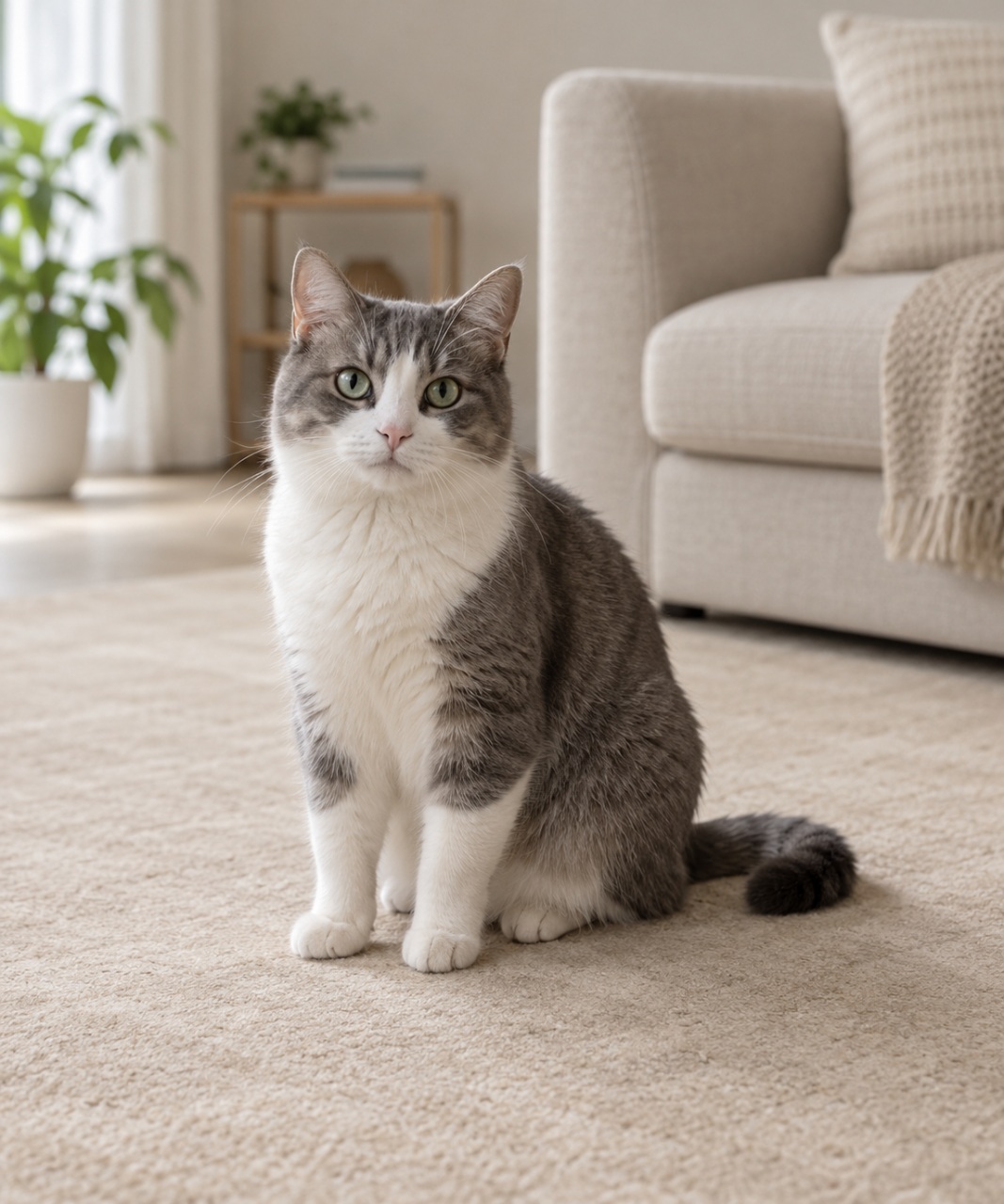
This matched photo and result are an authorized public example. They show one possible outcome, not a promise that every photo will preserve every detail. The template preview on the tool page is the motion source; it is separate from this personalized result.
Choose a cat photo that is easy to animate
Start with an ordinary photo you already have permission to use. A near-front view with the face and most of the body visible gives the model more information than a tight face crop. Sitting, lying and standing poses are supported; keep your cat comfortable and photograph it naturally.
- One cat: avoid people, other pets and reflections that look like a second animal.
- Clear face: use even light and a sharp image. Avoid heavy filters, motion blur or an object covering the eyes.
- Visible body: show as much of the cat and paws as practical. Leave space around the head, sides and tail rather than cropping at the edges.
- Useful background: choose a simple scene with room for movement. Dense furniture, blankets covering the body or a tiny cat in a wide shot can make details harder to maintain.
Upload a JPEG, PNG or WebP. The tool preserves the complete photo and its aspect ratio, reducing large images when needed. Review the prepared image before generating. Unreadable, unsupported or oversized files must be replaced; changing the file extension alone will not convert a photo.
These are quality suggestions, not a guarantee or a requirement to pose your pet. You can keep a non-ideal photo after reviewing it, but AI variation may be greater. Photo permission and content checks still apply.
Make your cat dance in five steps
Before you make your cat dance
- One cat photo you have permission to animate, with the face and body visible.
- A dance and original song you have previewed and want to use.
- Your signed-in account and at least 25 credits for the current template.
1. Open the cat dance generator
Preview the dance and turn on sound if you want to hear the original song. Check the current output length and cost: approximately 9 seconds and 25 credits. The guide’s tool link opens the cat creator directly with this template selected.
AI Cat Dance Generator2. Upload one cat photo
Select your photo and inspect the prepared preview. Make sure it is the intended cat and background. Read any quality tips, then keep the image or choose another one. Replacing the photo means you should inspect the new preview again.
3. Sign in and check your credits
Sign in to the account where you want to keep the result. Confirm permission to animate the photo and the displayed declaration only after reviewing the image. You need 25 credits for this template. If your balance is lower, check Pricing; a credit pack is a separate purchase, and the creator shows the quote before generation.
4. Generate once and follow progress
Click Generate once. The service checks the photo, creates the animation and checks the result before delivery. You can leave the page and return to My creations to follow the same task. Avoid starting another generation just because the first is still processing.
The video’s duration is not the processing time. Completion depends on demand, provider processing and content checks. Some tasks need additional review; there is no guaranteed wait time.
5. Watch and download the MP4
When the result is ready, watch the whole video with sound in My creations, then download the MP4. It already includes the template’s original song, so you do not need to upload music or assemble the soundtrack yourself. Results remain private to your account unless you choose to share them.
Before sharing, check the cat’s face and coat, paws and tail during movement, the opening and ending, and whether the song plays correctly. Saving the file lets you review it without creating a second task.
Cat dance video length, music and cost
- Output length
- Approximately 9 seconds
- Current generation quote
- 25 credits
- Download format
- MP4 · 720p · Original template music
- Soundtrack
- Original template song included
At 25 credits per cat video, the Try pack is the lowest-priced sufficient pack: 40 credits for USD 4.99, enough for 1 video with 15 credits left if you start with no balance. This is a one-time pack purchase, not a per-video cash price or subscription. Check Pricing for current availability and checkout totals.
Photo checks do not deduct user credits. Generation credits are reserved when you confirm; a confirmed failed task or rejected result returns the reserved credits once. Additional review keeps them reserved. A service credit return is different from a cash refund; payment questions follow the refund policy and support process.
Check current credit packsCommon cat dance problems and what to check
The cat’s face or fur markings changed
Compare the result with your input photo. Blur, deep shadows and small faces leave less detail for the model. A clearer near-front photo can help, but it cannot guarantee exact identity. Inspect a saved result before deciding whether a new paid generation is worth trying.
Paws, tail or body look distorted
Check whether the source photo hides the paws, cuts off the tail or covers the body with a blanket. AI must invent unseen areas during a dance. More visible anatomy and space around the cat can reduce ambiguity, although even a clear photo may produce unusual frames. Do not physically position your cat to imitate the reference.
The preview is silent
Inline previews start muted. Open the player controls and enable sound, then check your device volume. The downloaded cat MP4 includes the original template song. If the completed downloaded file is still silent, contact support about that task instead of submitting another generation.
The video is processing or awaiting review
Return to My creations and read the status of the existing task. Processing, additional review and a confirmed failure are different states. Refresh the task status rather than repeatedly clicking Generate. If a task remains unresolved, contact support with its task ID; keep your photo and private video out of public support posts.
Cat dance video questions
Can I make an AI cat dance video for free?
You can watch the template and check your photo for free. Generating the current cat video requires a signed-in account and 25 credits. The quote appears before confirmation, and Pricing lists the available one-time credit packs.
Do I need a cat dance prompt or my own music?
No. This template supplies the dance and its original song. You choose the cat photo. The current creator does not offer a custom choreography prompt or a separate music upload; the finished MP4 already includes the song.
Does my cat need to be standing on two legs?
No. Sitting, lying and standing cat photos are supported. A visible face and body help, but an upright pose is not required. Use a natural photo and never force your pet to stand or dance for the camera.
Can I use a dog photo or two cats?
This template is designed for one cat. Dog photos, several pets, human portraits and mixed subjects are outside its supported input. For an adult person, choose a portrait dance template instead.
Can I post the cat dance on TikTok, Reels or Shorts?
Download the finished MP4 and upload it to your chosen platform. Check your photo and music permissions and the platform’s current rules, including AI-content disclosure. An included song is not a promise of unrestricted commercial or cross-platform music rights. Watch the entire clip before sharing.
Ready to animate your cat photo?
Choose one clear photo with a background you like. Open the cat generator, preview the dance and review your image and quote before deciding to generate.
Make your cat danceTool, pricing and product references
This guide is written by the product team and describes the current cat template. Use the tool and policy pages below for the current quote, account downloads, privacy terms and payment support.
- AI Cat Dance Generator
- Check current credit packs
- My Creations: task status and downloads
- Photo and result privacy
- Credit returns and payment refunds
- Contact support