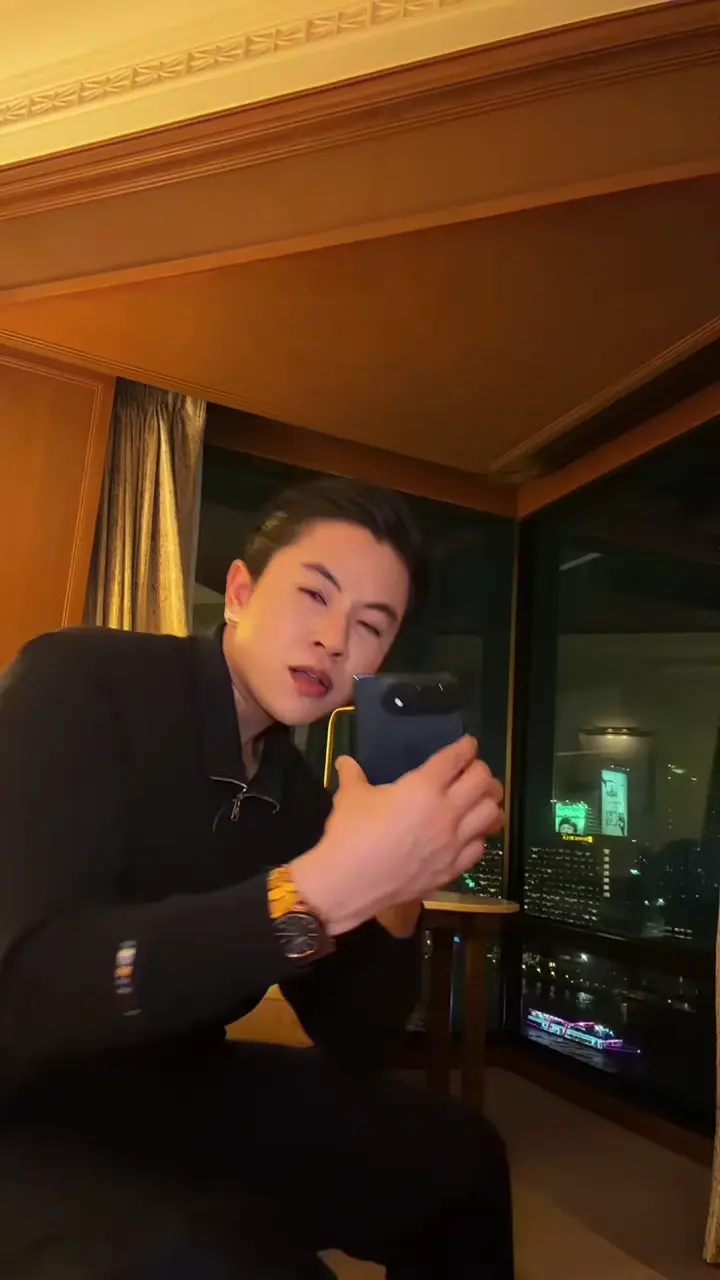
Reveal the folding phone
Start close to the camera, unfold the phone toward the lens and reveal the much larger screen.
PHOTO TO PHONE-TOSS DANCE
One adult photo puts you in the hotel-room routine: unfold the phone, reveal the giant screen, dance and toss it. The template supplies the room, props and soundtrack.
Use a sharp, well-lit photo of one consenting adult, facing mostly forward. Waist-up or full-body framing with visible clothing works best. Keep the face uncovered. The photo background is replaced by the template hotel room. You do not need to hold a phone. Blurred, obstructed or partial photos may produce less predictable details.
Choose a photo and a template.
Private by default. Authorized providers process your media, and safety reviewers may access it when needed.
Private by default. AI may change facial details, hands, screen geometry and timing. Watch the complete result before sharing.
A fictional character photo paired with a complete effect demonstration. See how the character enters the phone routine. Facial details, hands and screen geometry may differ in your video.
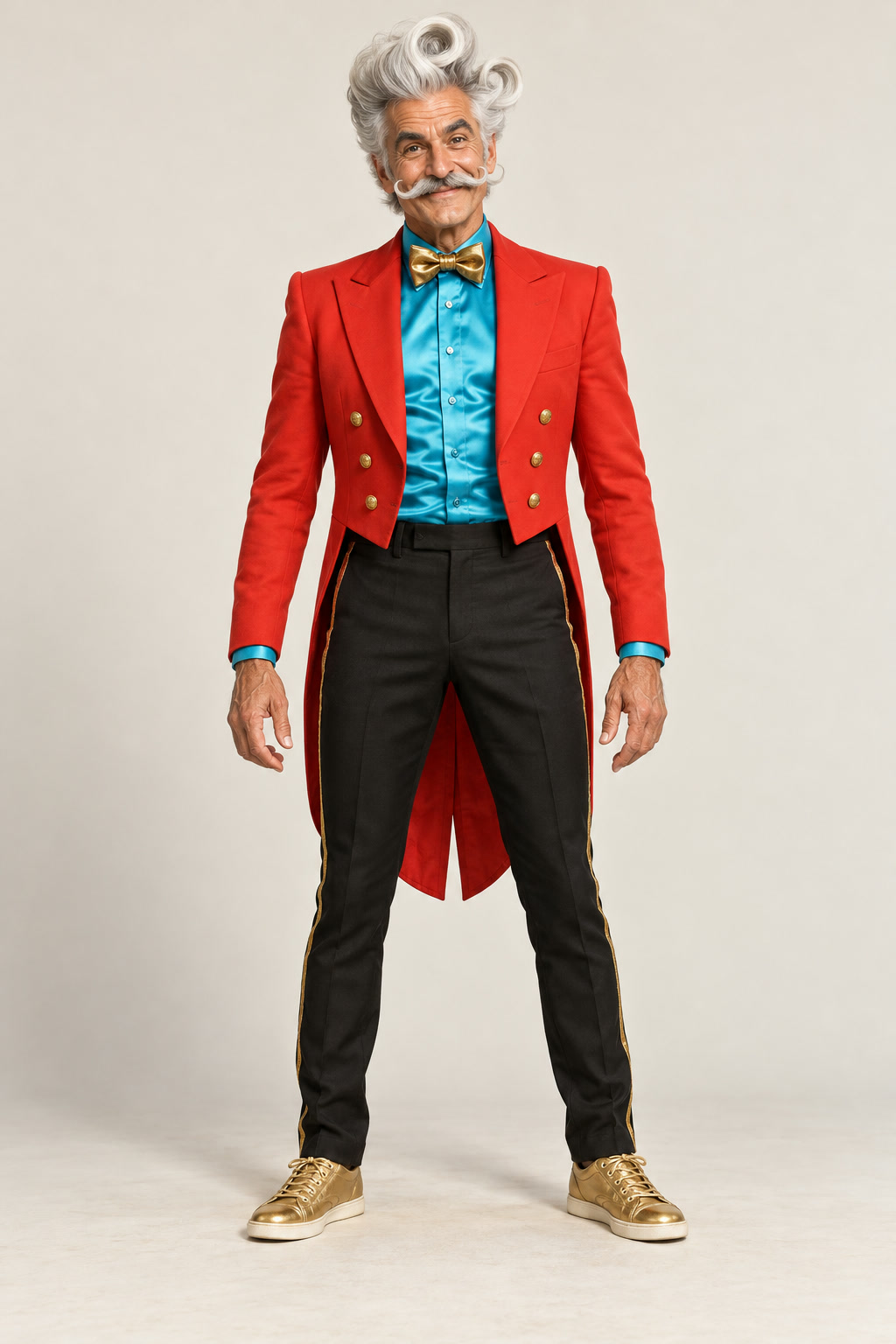
This is the folding-phone hotel dance, also called the iPhone 5555 or foldable phone dance. It recreates the reveal, oversized screen, full-body dance, toss and rightward exit. Your photo supplies the person and outfit; the template supplies the scene and props. You do not need a phone or your own dance video.
Start close to the camera, unfold the phone toward the lens and reveal the much larger screen.
Move back into the hotel room and dance with the oversized screen at the reference pace.
Toss the screen, catch and swing it, then finish the dance and move out to the right. The full sequence plays once at its original speed.
Use a sharp, well-lit photo of one consenting adult, facing mostly forward. Waist-up or full-body framing with visible clothing works best. Keep the face uncovered. The photo background is replaced by the template hotel room. You do not need to hold a phone. Blurred, obstructed or partial photos may produce less predictable details.
70 credits per video · First purchase: USD 9.99 for 80 credits · Includes 1 iPhone Kupi Dance video, with 10 credits left.
Watching previews is free; generating uses credits. Pack prices are total purchase prices, not per-video prices. Use an existing balance if you have one. Applicable taxes appear at checkout.
View costsWatch the routine, choose one adult photo and check the prepared preview, advice and photo declaration.
Sign in, check the current quote and balance, then choose Generate. If you need credits, the purchase return keeps this template selected.
Follow progress in My creations. When ready, watch the complete video with sound and download the MP4. Sharing is optional.
This preset takes one photo of one consenting adult aged 18 or older. It does not support pets, children, groups or multiple uploaded identities. Use your own photo or an adult who agreed.
The complete reference soundtrack is attached after the visual render without changing its speed. Enable sound in the preview to listen. No custom music upload is offered. Downloading does not grant rights to the recording; follow the music rules of the platform where you post.
The preset hotel room, camera and folding-phone sequence guide the scene. Your photo supplies the person, hair and outfit. Custom rooms, devices, choreography and prompts are not supported on this page.
The target is a 15-second 720p vertical 9:16 MP4 with the template soundtrack. Processing time varies with the provider queue. The original reference and the effect example illustrate the routine; they do not guarantee your output.
70 credits per video · First purchase: USD 9.99 for 80 credits · Includes 1 iPhone Kupi Dance video, with 10 credits left.
AI can change likeness, fingers, the folding screen, hand contact and timing, especially during close-ups, occlusion and the toss. Review the full video before sharing. A preview is not a promise of identical results.
Photos and results use the normal account privacy protections. Results are private by default. You choose whether to share and can revoke an enabled share from the result page.
Return to My creations to check the original task instead of submitting again. Queueing, processing and additional review can take different amounts of time. Credits stay reserved while the task is pending. If you need help, send support the task ID; do not post your private photo or result link publicly.
Reserved generation credits return to your available balance after a confirmed task failure or rejected result. Credits remain reserved while additional review is pending. Check My creations and your credit history; contact support with the task ID if the balance looks wrong. Returning task credits does not automatically refund a payment.